- Home
- Black Friday
- Tools
 Garage and workshop tools
 Cordless tools
 Car cosmetics, lubricants and chemistry
 Power tools
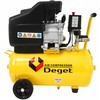 Compressors and pneumatic tools
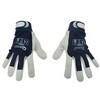 Protective work equipment
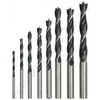 Accessories
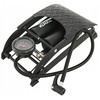 Car accessories
 Hand tools
 Suitcases, storage and transfer systems
 Water supplies and sanitation
 Heating technology
 Garden and construction tools
 Hoists and lifting equipment
 Welding technology
- Household
- Electro
- Drugstore
 Hair cosmetics
 Body cosmetics
 Decorative cosmetics
 Facial cosmetics
 Natural cosmetics
 Toiletries
 Care for teeth
 Care and cosmetics for men
 Care and cosmetics for babies and children
 Means of washing
 Cleaning agents
 Cleaning aids
 Fresheners and scented sticks
 Repellers
 Care and cosmetics for animals
 Means for dishes
- Toys
 Cars, trains and models
 Dolls, prams and houses
 Wooden toys
 Figurines and animals
 Toys and games for professions
 Toys for the bath
 Toys for the little ones
 Musical instruments
 Costumes and party celebrations
 Creative and educational toys
 Painting and drawing
 Plush toys and stuffed animals
 RC remote control toys
 Social board games
 Building blocks, jigsaw puzzles and puzzles
 Outdoor toys
 Other toys






- Tools
- Garage and workshop tools
- Cordless tools
- Car cosmetics, lubricants and chemistry
- Power tools
- Compressors and pneumatic tools
- Mounting lamps
- Protective work equipment
- Accessories

- Car accessories
- Hand tools
- Suitcases, storage and transfer systems
- Water supplies and sanitation
- Heating technology
- Garden and construction tools
- Hoists and lifting equipment
- Welding technology
- Garage and workshop tools
- Household
- Cemetery decorations

- Children's products
- Grills, grill plates, grates
- Breeding supplies

- Boilers, kettles and accessories
- Furniture

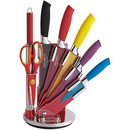
- Kitchen knives
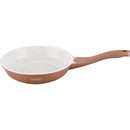
- Pans
- Baking
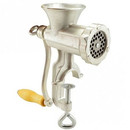
- Sausage stuffers, grinders, pâtissiers
- Carrying drinks and food
- Preparation of coffee and tea
- Dining
- Sports equipment

- Cooking
- Household equipment
- Equipment for the kitchen
- Bathroom Equipment

- Manufacture of spirits and wine
- Garden
- Cemetery decorations
- Electro
- Drugstore
- Hair cosmetics

- Body cosmetics

- Decorative cosmetics

- Facial cosmetics

- Natural cosmetics

- Toiletries

- Care for teeth

- Care and cosmetics for men

- Care and cosmetics for babies and children

- Means of washing
- Cleaning agents

- Cleaning aids
- Means for dishes

- Fresheners and scented sticks

- Repellers

- Care and cosmetics for animals

- Hair cosmetics
- Toys
- Cars, trains and models
- Dolls, prams and houses
- Wooden toys
- Figurines and animals

- Toys and games for professions
- Toys for the bath

- Toys for the little ones

- Musical instruments
- Costumes and party celebrations

- Creative and educational toys
- Painting and drawing
- Scooters and walkers
- Plush toys and stuffed animals
- RC remote control toys

- Social board games
- Building blocks, jigsaw puzzles and puzzles

- Outdoor toys
- Other toys

- Cars, trains and models



Last sold
Purchased 58 sec. ago
Michael from Birkenhead
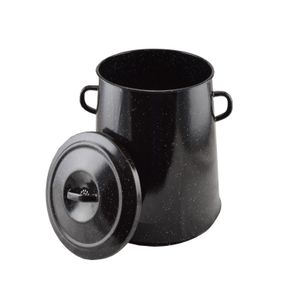 Temporarily unavailable
Lard pot with enamelled surface 20L 26cm - damaged enamel and paint, dents X00907
Availability
This product is currently not available.
Availability: Out of stock
Purchased 1 min. ago
George from Portsmouth
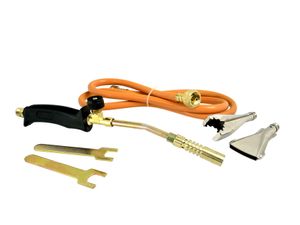
Gas burner with accessories 00212
Availability
This product is currently not available.
Product expected to be available:Expected:Expected product:Coming soon
Availability: On the way
Purchased 27 sec. ago
Sebastian from Southampton
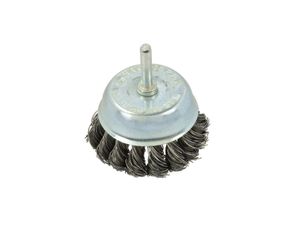
Wire brush for drill 75mm 01530
Availability
This product is currently not available.
Availability: 7-14 days
Purchased 1 min. ago
Oliver from Manchester
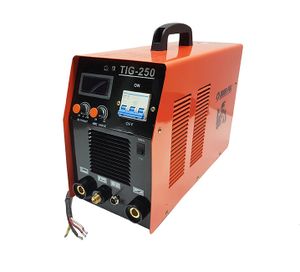 Temporarily unavailable
MMA inverter welding machine, TIG Mar-Pol TIG 250A 00820
Availability
This product is currently not available.
Availability: Out of stock
Purchased 36 sec. ago
Mason from Milton Keynes
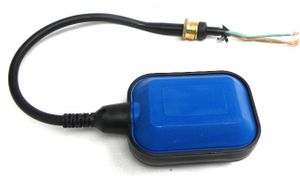
Float level switch WQD 01270
Availability
This product is currently not available.
Product expected to be available:Expected:Expected product:05.11.2026
Availability: On the way
How to shop
1. Selection of goods
First, of course, you need to find the goods you are interested in. Take a look at the category menu, which is available in the menu on the left side of the page. By clicking on it, you will be taken to the desired product.
2. Adding the product to the shopping cart
To add an item to your shopping cart, click on the "CART" button. You can continue shopping by further selecting the category. To view the contents of the shopping cart, click on "View Cart" in the upper right corner. The amount changes based on your increase/decrease of the items in your cart.
3. Checking and adjustments
If you have selected the desired goods and moved to the cart contents, you have several options. If you have a discount coupon code available, you can enter it in the "Discount coupons" field.
4. Registered and unregistered customer
If you have checked the goods and would like to proceed to ordering, fill in the delivery details.
If you have created an account you must log in. Once logged in you will see your delivery details under which you are registered.
5. Shipping and payment terms
In this section, select the shipping method and payment terms.
6. Order confirmations
After completion, you will receive an automatically generated message to your email in which you need to confirm your order.
We support


Transport